
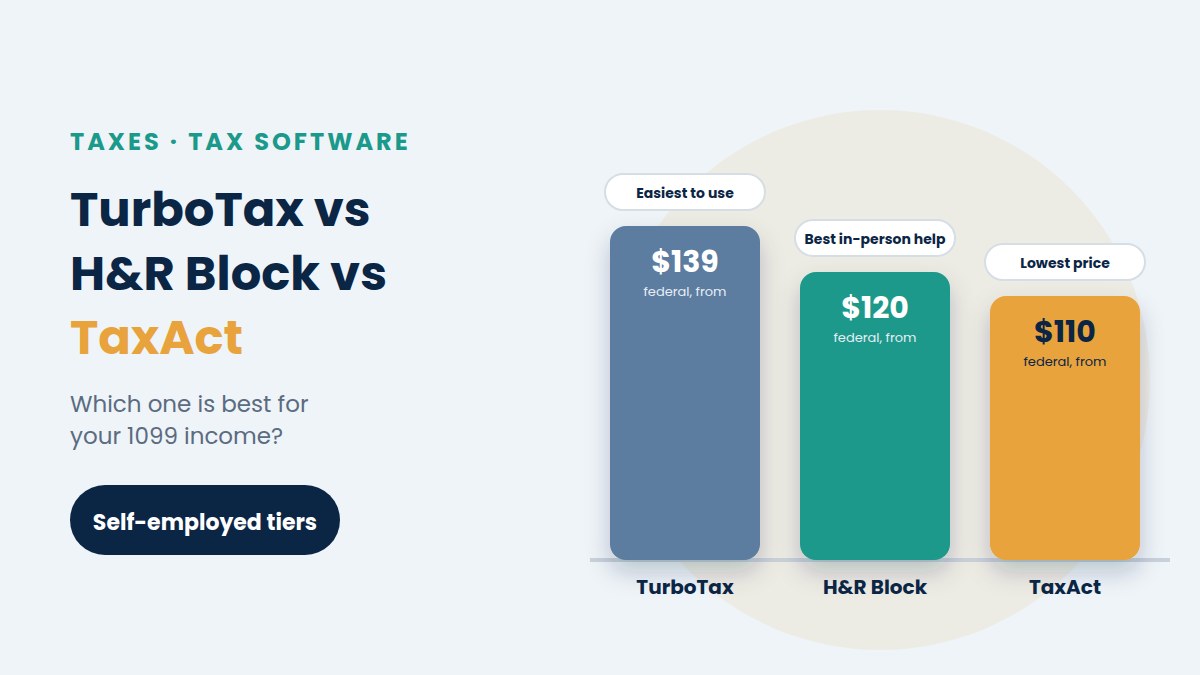
In the TurboTax vs H&R Block vs TaxAct match-up, there’s no single winner for 1099 income. TurboTax is the easiest to use, H&R Block is best if you might want a person to help, and TaxAct handles the same self-employment forms for less. All three cover Schedule C, self-employment tax and the main freelancer deductions.
This guide compares the three self-employed tiers head to head. For a wider list that includes cheaper and free programs, see our picks for the best tax software for freelancers.
TurboTax vs H&R Block vs TaxAct compared
| TurboTax Premium | H&R Block Self-Employed | TaxAct Self Employed | |
|---|---|---|---|
| Federal price, 2026 season | From $139 | From $120 | From $109.99 |
| Each state return | Extra | About $37 | $64.99 |
| Schedule C and SE | Yes | Yes | Yes |
| Imports 1099-NEC and 1099-K | Yes, by photo | Yes, including from Uber | Yes |
| Expert help | Paid upgrade | Paid upgrade or in-person office | $45 add-on (Xpert Assist) |
| Best for | Ease of use | In-person backup | Lowest cost |
Prices are starting prices from the 2026 filing season, for 2025 returns. All three change prices often and usually charge more as the April deadline gets closer, so check before you start.
What every program must handle for 1099 income
Whichever you choose, make sure your tier includes:
- Schedule C, to report your business income and expenses. Our guide on how to fill out Schedule C explains each line.
- Schedule SE, for self-employment tax.
- Depreciation and Section 179, for equipment.
- The home office deduction, with the simplified and regular methods.
- The QBI deduction, which most programs apply automatically.
The cheaper or free tiers of all three programs usually leave out Schedule C, so a freelancer generally needs the self-employed tier.
TurboTax Premium: easiest to use
TurboTax no longer sells a separate Self-Employed edition. Its Premium tier now covers freelancers, with the full Schedule C and Schedule SE, and Intuit describes it as ideal for 1099-NEC income.
- Pros: you can snap a photo of a 1099-NEC or 1099-K to fill it in, compare standard mileage with actual car expenses, get help with the home office deduction and import last year’s Schedule C as a PDF. The interview style is the easiest to follow.
- Cons: it’s the most expensive of the three, and it pushes paid upgrades often. Syncing with QuickBooks works for only one Schedule C.
- Best for: first-time freelancers who want hand-holding and don’t mind paying for it.
H&R Block Self-Employed: best for in-person help
H&R Block’s Self-Employed tier handles business income, expenses and depreciation. Rideshare drivers can import their 1099 straight from Uber, and paid tiers include an AI assistant and unlimited live chat.
- Pros: a lower federal price than TurboTax, a cheap state return, and thousands of offices if you decide you’d rather have a person do it.
- Cons: a review by a tax pro costs extra, and prices rise as the deadline nears.
- Best for: freelancers who want to do it themselves but like having a physical office as a backup.
TaxAct Self Employed: lowest price
TaxAct’s Self Employed tier includes full Schedule C support, help finding deductions such as supplies, mileage and marketing, and alerts that flag common audit risks before you file.
- Pros: the lowest federal price of the three, plus Xpert Assist: unlimited one-on-one sessions with credentialed tax experts for $45.
- Cons: at $64.99, the state return is the priciest here, and the interface gives less guidance.
- Best for: freelancers comfortable with their numbers who mainly want the forms done right for less.
How to choose between TurboTax, H&R Block and TaxAct
- New to Schedule C: TurboTax, for its step-by-step questions.
- Want a person nearby as backup: H&R Block.
- Lowest total cost with expert help included: TaxAct plus Xpert Assist.
- Filing in several states: compare the state fees carefully, since they change the total a lot.
If this is your first year, our guide on how to file taxes as a freelancer walks you through what to gather before you open any program.
Free alternatives to TurboTax, H&R Block and TaxAct
- IRS Free File. Partner companies offer free guided software if your adjusted gross income is $89,000 or less. Each partner sets its own rules, so check that it supports Schedule C. You’ll find the list on the IRS Free File page.
- Free File Fillable Forms. Free at any income, but you fill in the IRS forms yourself with little guidance, and it doesn’t do state returns.
- IRS Direct File is gone. The IRS ended its free Direct File program and didn’t offer it for the 2026 filing season.
When to skip software and hire a pro
Software works well for most freelancers. A tax professional is worth it when you have:
- an S corp or a multi-member LLC,
- income in several states,
- a big life change, such as selling a home or a business,
- an IRS letter or several years of unfiled returns.
To compare costs, read our guide to whether you need an accountant as a freelancer.
What a federal and state return really costs
The headline price is only part of the bill. Once you add one state return, the order can change.
| Program | Federal | One state | Starting total |
|---|---|---|---|
| H&R Block Self-Employed | $120 | About $37 | About $157 |
| TaxAct Self Employed | $109.99 | $64.99 | $174.98 |
| TurboTax Premium | From $139 | Extra, shown at checkout | Usually the highest |
In other words, TaxAct is the cheapest federal option, but H&R Block can be cheaper overall with one state. If you live in a state with no income tax, such as Texas or Florida, only the federal price matters.
Features freelancers should check before paying
- Estimated tax vouchers for next year. All three can work out your 2027 payments. Our guide to quarterly estimated taxes explains what to do with them.
- More than one Schedule C. Useful if you run two separate businesses.
- Carryover of past data. Depreciation and home office details should carry forward from last year.
- Car expense help. A good program compares standard mileage vs actual expenses for you.
What to gather before you open any program
- All your 1099-NEC and 1099-K forms, plus your own income records for clients who didn’t send one.
- Your expense totals by category, such as software, phone, travel and meals.
- Your mileage log and car details, if you drove for work.
- Home office measurements, if you claim the home office deduction.
- The dates and amounts of your estimated payments for the year.
- Health insurance and retirement records, such as Form 1095-A and your SEP or Solo 401(k) contributions.
With these ready, most freelancers finish in one or two sittings, whichever program they choose.
How to avoid paying more than you need
- Start early. Prices often rise as April gets closer, and you usually lock in the price when you start.
- Pay the fee by card, not from your refund. Paying from your refund usually adds a processing fee.
- Skip add-ons you don’t need. Read what each one covers before you tick the box.
- Keep the receipt. The business share of the cost is a deductible expense next year.
Frequently asked questions
Is TurboTax, H&R Block or TaxAct better for gig workers?
All three work. H&R Block’s direct Uber import is handy for rideshare drivers, while TurboTax’s photo import makes several 1099-K forms quick to enter. If price matters most, TaxAct is the cheapest of the three.
Can I deduct the cost of tax software?
Yes, the part used for your business. If the software is mainly for your Schedule C, you can deduct it as a business expense on your next return.
Can I switch programs next year?
Yes. Most programs can import last year’s return as a PDF from a competitor, so switching takes only a few minutes.
This article is for general information only and is not legal, tax or financial advice. Prices change often, so check each provider’s site before you buy.